
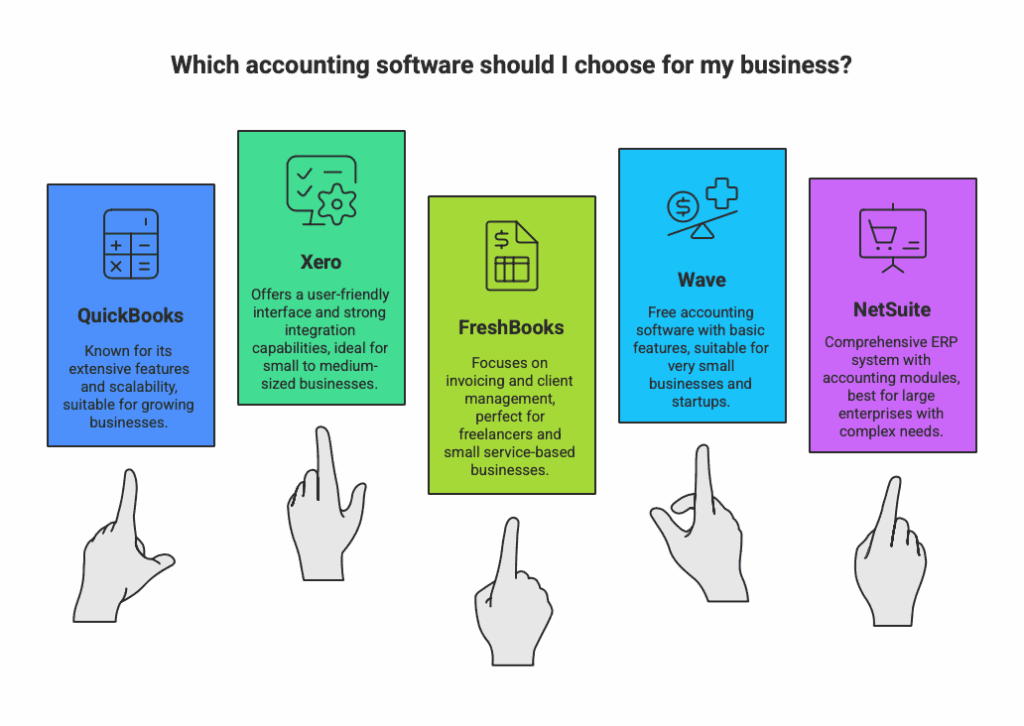
QuickBooks vs Xero, FreshBooks, Wave, NetSuite: 2025 Comparison Guide
Choosing the right accounting software is one of the most critical decisions for small business owners in Austin and beyond. With numerous options available, from industry giants like QuickBooks to emerging platforms like Wave, Xero, or FreshBooks, making an informed choice requires understanding the unique features, pricing & monthly subscriptions, and capabilities of each solution.
As professional bookkeepers serving Austin’s small business community, we’ve worked extensively with various accounting platforms. This comprehensive guide examines the most popular accounting software comparisons to help you make an educated decision based on your specific business needs.
QuickBooks vs Xero: Which Industry Leader is Right for Your Austin Business?
Navigating the choice between these two accounting powerhouses is about understanding their philosophy. While both Xero and QuickBooks Online offer a comprehensive suite of accounting tools, they cater to different business styles and priorities. This deep dive will help you identify which platform aligns best with your operational needs and growth goals.
QuickBooks vs Xero: At a Glance
| Feature | QuickBooks Online | Xero | Key Takeaway |
|---|---|---|---|
| Pricing (Entry-Level) | $35/month (Simple Start) | $20/month (Early) | Xero’s starting price is more affordable. |
| User Limits | 1 user (Simple Start), up to 25 (Advanced) | Unlimited users on all plans | Xero is superior for collaborative, in-house teams. |
| Mobile App | Comprehensive, includes GPS mileage tracking | Good functionality, clean interface | QuickBooks offers a more feature-rich mobile experience. |
| Dashboard & Reporting | Highly polished, intuitive, customizable | Functional but less visually intuitive | QuickBooks wins on user experience and data visibility. |
| Integrations | 750+ apps (e.g., Dext, BILL, Mailchimp) | 600+ apps (e.g., Hubdoc, Stripe) | QuickBooks has a larger ecosystem. |
| Bank Connections | 21,000+ global institutions | 21,000+ global institutions | It’s a tie; both excel at automated transaction feeds. |
| Inventory Management | Included in Plus & Advanced plans | $39/month add-on (on Growing/Established plans) | QuickBooks offers better native value. |
| Payroll | Native integration ($50-$130/month + per employee) | Requires third-party integration (e.g., Gusto) | QuickBooks offers a more seamless, all-in-one solution. |
| File Storage | Attach files to transactions | Centralized, user-friendly file management hub | Xero provides superior document organization. |
Detailed Feature Breakdown: Where Each Platform Excels
Accounting Core & Ease of Use
Both platforms handle invoicing, expenses, multi-currency support, and project tracking flawlessly. However, their approaches differ. QuickBooks Online is renowned for its intuitive, guided setup and polished interface that makes it easier for business owners without a financial background to get started. Xero is powerful and functional but has a steeper learning curve; its interface is less guided, which can be preferable for those who already understand accounting principles.
Verdict: It’s a tie on raw accounting power, but QuickBooks wins on immediate ease of use for beginners.
Reporting, Dashboards & Mobile Experience
This is a key differentiator. QuickBooks’ dashboards are highly visual and customizable, allowing you to see cash flow, profit trends, and upcoming bills at a glance. This translates to its mobile app, which is virtually as powerful as the desktop version and includes standout features like automatic GPS mileage tracking.
Xero’s reporting is deep and accurate, but its dashboard is more functional than beautiful. The mobile app is capable for invoicing and receipt scanning, but lacks the depth of features found in QuickBooks.
Verdict: QuickBooks is the clear winner for business owners who live on their phones or need the best visual snapshot of their company’s health.
Pricing & Overall Value: The Deciding Factor
This is where your business structure dictates the winner.
Xero offers phenomenal value for teams. With unlimited users on even its lowest-tier plan ($20/month), it’s the undisputed choice if you have multiple employees or an in-house bookkeeper who needs access. It’s a cost-effective solution for collaborative environments.
QuickBooks uses a per-user pricing model. Its starter plan ($35/month) includes only one user. Adding users quickly increases the cost, making it ideal for solopreneurs or businesses where only one or two people manage the books.
Additional Cost Considerations:
Payroll: QuickBooks offers integrated payroll for an added fee. Xero requires a separate subscription to a service like Gusto.
Inventory: Xero charges a significant $39/month add-on for inventory features, which are included in QuickBooks’ mid and top-tier plans.
Our Expert Recommendation for Austin Businesses
Choose Xero if:
You have or plan to build an in-house team that needs access to the books (unlimited users is a game-changer).
Strict cost control is a priority, and you want a powerful accounting suite at a lower monthly price.
Your business requires excellent document management and organization.
You are comfortable with a slightly steeper learning curve or working with a bookkeeper (like us at Austin Bookkeeping Hub!).
Choose QuickBooks Online if:
Ease of use is your top concern. You want the most intuitive, polished interface with guided setup.
You are a solopreneur or only need 1-2 users to access the software.
You need best-in-class mobile functionality, especially for mileage tracking.
You want the most seamless, all-in-one experience with native payroll and inventory management.
You value a larger app ecosystem (750+ integrations) for future scalability.
Still Unsure? Let Austin Bookkeeping Hub Guide You.
The best software is the one that fits your specific workflow. As professional bookkeepers, we are experts in both platforms and can help you implement, migrate, and manage your books to save you time and provide clarity. Contact Austin Bookkeeping Hub or call (512) 730-1159 for a personalized consultation tailored to your Austin business.
QuickBooks vs FreshBooks: Which Accounting Software is Right for Your Austin Business?
At Austin Bookkeeping Hub, we’ve worked with numerous local businesses using both QuickBooks and FreshBooks, and we’ve seen firsthand how the right choice can streamline operations for Austin entrepreneurs.
QuickBooks vs FreshBooks: The Essential Overview
Both QuickBooks Online and FreshBooks offer powerful solutions for small business accounting, but they serve different business models common in Austin’s diverse economy. Whether you’re running a consulting firm in downtown Austin, managing a food truck business, or operating a tech startup in the Domain, understanding these differences is key to making the right choice.
FreshBooks targets service-based businesses, freelancers, and creative professionals with an emphasis on time tracking, project management, and beautiful invoicing. QuickBooks Online serves broader small business accounting needs with comprehensive financial management tools and extensive third-party integrations.
Detailed Feature Comparison
Pricing and Value for Austin Businesses
FreshBooks Pricing Structure:
- Lite Plan: $19/month + $11 per team member
- Perfect for Austin freelancers and solo consultants
- Limited to 5 billable clients
- Includes unlimited time tracking and expense tracking
- Plus Plan: $33/month + $11 per team member
- Ideal for growing Austin service businesses
- Supports up to 50 billable clients
- Includes double-entry accounting and accountant access
- Premium Plan: $60/month + $11 per team member
- Best for established Austin agencies and contractors
- Unlimited clients
- Advanced reporting and project profitability tracking
QuickBooks Online Pricing Structure:
- Solopreneur: $20/month (single user)
- Great for Austin gig economy workers
- Basic income and expense tracking
- Simple Start: $35/month (one user)
- Suitable for small Austin retail or service businesses
- AI-powered automations and unlimited invoices
- Essentials: $65/month (three users included)
- Ideal for Austin businesses with small teams
- Includes time tracking and bill pay features
- Plus: $99/month (five users included)
- Perfect for growing Austin companies
- Advanced inventory tracking and project profitability tools
Pricing Winner for Austin Businesses: It depends on your specific needs. FreshBooks offers better value for solo professionals and small teams with limited clients, while QuickBooks Online provides better value for businesses with multiple users and complex accounting needs.
Invoicing Capabilities: Critical for Austin’s Service Economy
FreshBooks Invoicing Strengths:
- Beautiful, customizable invoices that reflect your Austin brand
- Seamless time-to-invoice conversion – perfect for Austin consultants and agencies
- On-site billing capabilities – ideal for Austin contractors and home service providers
- Professional invoice design with industry-leading customization options
- Built-in payment processing with competitive rates (2.9% + $0.30 per transaction)
- Advanced payment reminders and late fee automation
QuickBooks Online Invoicing Features:
- AI-powered invoice creation through Intuit Assist
- Mobile-optimized invoicing for Austin business owners on the go
- Unlimited clients on all paid plans
- Payment matching and automated reconciliation
- Multiple payment processor options (PayPal, Square, QuickBooks Payments)
- Partial payment acceptance for larger Austin B2B transactions
Invoicing Winner: FreshBooks takes the lead for service-based Austin businesses that prioritize invoice aesthetics and time tracking integration. QuickBooks Online wins for businesses needing unlimited client invoicing and AI automation.
Time Tracking and Project Management
For Austin’s thriving consulting and creative industries, time tracking capabilities can make or break profitability:
FreshBooks Time Tracking:
- Included in all plans – major advantage for cost-conscious Austin startups
- Advanced project management with task assignment and collaboration
- Mobile time tracking is perfect for Austin’s mobile workforce
- Project profitability analysis to optimize client relationships
- Billable vs. non-billable time separation
QuickBooks Online Time Tracking:
- Only available in Essentials plan and above ($65+/month)
- Basic time tracking functionality
- Employee time entry by client or project
- Limited project management capabilities
Time Tracking Winner: FreshBooks dominates this category, especially for Austin service providers who bill by the hour.
Financial Reporting and Accounting Features
Austin businesses need robust financial insights to navigate Texas tax requirements and business growth:
FreshBooks Reporting:
- Project-focused reports are ideal for service businesses
- Tax time reports for Austin tax preparation
- Business health dashboard with key metrics
- Double-entry accounting (Plus plan and above)
- Profit and loss by client – crucial for Austin agencies
QuickBooks Online Reporting:
- Comprehensive financial reports, including cash flow, P&L, and balance sheets
- Advanced reporting tools with customizable dashboards
- Sales tax calculation and tracking for Texas businesses
- 1099 preparation tools for Austin contractors
- Multi-currency support for international Austin businesses
- Fixed asset tracking (Advanced plan)
Reporting Winner: QuickBooks Online provides more comprehensive financial reporting, making it better for Austin businesses with complex accounting needs.
Mobile App Performance
Austin’s mobile-first business culture demands strong mobile functionality:
FreshBooks Mobile App:
- App Store Ratings: 4.7/5 (iOS), 4.5/5 (Android)
- Core Features: Time tracking, invoicing, receipt capture, client messaging
- Best For: Austin service providers who need mobile time tracking
QuickBooks Online Mobile App:
- App Store Ratings: 4.7/5 (iOS), 3.8/5 (Android)
- Core Features: Full dashboard access, invoicing, payment acceptance, transaction reconciliation
- Best For: Austin business owners who need comprehensive mobile accounting
Mobile Winner: QuickBooks Online offers more comprehensive mobile functionality, though FreshBooks excels in time tracking mobility.
Third-Party Integrations: Connecting Your Austin Business Ecosystem
FreshBooks Integrations (100+): Popular Austin business integrations include:
- WooCommerce and Shopify for Austin e-commerce
- Gusto for payroll management
- Slack for team communication
- Expensify for expense management
- Zapier for workflow automation
QuickBooks Online Integrations (750+): Extensive Austin-relevant integrations:
- Amazon and eBay for online sellers
- Square and PayPal for retail businesses
- Industry-specific apps for Austin’s diverse economy
- Advanced inventory management tools
- Comprehensive e-commerce platform connections
Integration Winner: QuickBooks Online’s 750+ integrations significantly outpace FreshBooks, making it ideal for Austin businesses with complex tech stacks.
Customer Support: Getting Help When You Need It
FreshBooks Support:
- Phone Support: Monday-Friday, 8 AM-7 PM ET
- 24/7 Chatbot: FreshBot for basic questions
- Higher Customer Satisfaction: Superior Trustpilot ratings
- Dedicated Support: Available on the Select plan
QuickBooks Online Support:
- Extended Hours: Monday-Friday 6 AM-6 PM PT, Saturday 6 AM-3 PM
- 24/7 Support: Available on Advanced plan ($235/month)
- Community Forum: Robust user community
- QuickBooks ProAdvisors: Access to certified professionals
Support Winner: FreshBooks edges out with higher customer satisfaction scores, though QuickBooks offers more support channels.
Which Platform is Right for Your Austin Business?
Choose FreshBooks If You’re:
- Austin consultants, agencies, or freelancers who bill by the hour
- Service-based businesses with fewer than 50 regular clients
- Creative professionals who value beautiful, branded invoices
- Small teams prioritizing ease of use over advanced features
- Contractors or home service providers needing mobile billing capabilities
Choose QuickBooks Online If You’re:
- Established Austin businesses with diverse financial needs
- Retail or e-commerce companies requiring inventory management
- Growing businesses needing extensive third-party integrations
- Companies with multiple employees requiring user access
- Businesses working with accountants who prefer QuickBooks familiarity
Austin Business Owner Recommendations
Based on our experience serving Austin’s business community at Austin Bookkeeping Hub:
For Austin Tech Startups: QuickBooks Online Plus provides the scalability and integration capabilities needed for rapid growth, especially with popular Austin tools like Slack, Gusto, and various e-commerce platforms.
For Austin Creative Agencies: FreshBooks Premium offers the perfect balance of project management, time tracking, and professional invoicing that creative professionals need to maintain client relationships and profitability.
For Austin Food & Beverage Businesses: QuickBooks Online Essentials provides the inventory tracking and sales channel integration necessary for restaurants, food trucks, and beverage companies operating in Austin’s competitive market.
For Austin Professional Services: Either platform works well, but FreshBooks offers superior time tracking and project profitability analysis, while QuickBooks provides better overall financial management.
Making the Final Decision
Both platforms offer 30-day free trials, which we strongly recommend for Austin business owners. Consider these final factors:
- Current software ecosystem: If you’re already using Intuit products or need extensive integrations, QuickBooks Online is the logical choice
- Team size and growth plans: QuickBooks Online’s user limits make it more cost-effective for larger teams
- Industry requirements: Service-based businesses often prefer FreshBooks, while retail and product-based companies lean toward QuickBooks
- Accountant preferences: Most Austin CPAs and bookkeepers are more familiar with QuickBooks Online
Professional Support in Austin
Remember that choosing accounting software is just the first step. At Austin Bookkeeping Hub, we help local businesses implement and optimize their chosen platform, ensuring you get maximum value from your investment. Whether you choose FreshBooks or QuickBooks Online, professional setup and ongoing support can make the difference between software that sits unused and a system that truly drives your Austin business forward.
Both FreshBooks and QuickBooks Online are excellent choices for Austin businesses – the key is matching the software capabilities to your specific business model, growth plans, and operational needs in Austin’s dynamic business environment.
QuickBooks vs Wave: Free vs Premium Accounting Software for Austin Businesses
Austin’s entrepreneurial spirit has given rise to countless startups, freelancers, and small businesses operating on tight budgets. When every dollar counts, the appeal of free accounting software like Wave becomes undeniable. However, as your Austin business grows beyond the startup phase, the question becomes whether Wave’s free model can support your evolving needs or if QuickBooks Online’s premium features justify the investment.
At Austin Bookkeeping Hub, we’ve guided numerous local businesses through this decision, from South Austin food trucks just getting started to established tech companies in the Domain area scaling their operations.
Wave vs QuickBooks: The Core Philosophy Difference
Wave’s free model attracts cost-conscious small businesses, startups, and solo entrepreneurs who need basic accounting functionality without monthly subscription fees. QuickBooks Online offers premium features, comprehensive support, and advanced scalability for businesses requiring sophisticated financial management capabilities.
The fundamental question for Austin business owners: Do you need accounting software that’s free but basic, or are you willing to pay for advanced features that can grow with your business?
Comprehensive Feature Analysis
Pricing Structure: Free vs Subscription Model
Wave Pricing:
- Starter Plan: Free forever
- Unlimited invoicing and basic accounting
- Perfect for Austin freelancers and sole proprietors
- Receipt scanning and expense tracking included
- Pro Plan: $16/month
- Recurring invoices and automatic bank feeds
- Ideal for Austin service providers with regular clients
- Advanced invoice customization
QuickBooks Online Pricing:
- Simple Start: $30/month (after $15 introductory period)
- One user with comprehensive accounting features
- AI-powered automations and unlimited invoices
- Essentials: $60/month (after $30 introductory period)
- Three users with enhanced collaboration
- Time tracking and bill management
- Plus: $90/month (after $45 introductory period)
- Five users with advanced project management
- Inventory tracking for Austin retail businesses
Pricing Winner for Austin Startups: Wave’s free tier is unbeatable for budget-conscious Austin entrepreneurs, while QuickBooks provides better long-term value for growing businesses.
Accounting and Financial Management
Wave Accounting Features:
- Free double-entry bookkeeping with unlimited transactions
- Basic financial reporting, including profit & loss and balance sheet
- Sales tax tracking for Texas businesses
- A simple chart of accounts is easy for non-accountants to understand
- Bank reconciliation with manual transaction matching
QuickBooks Online Accounting Features:
- Advanced financial reporting with 65+ customizable reports
- Automated bank feeds from 21,000+ financial institutions
- Comprehensive sales tax management with automatic calculations
- Advanced chart of accounts with sub-accounts and classes
- Automated bank reconciliation with AI-powered transaction matching
- Cash flow projector for business planning
- Budgeting tools (Plus plan and above)
Accounting Winner: QuickBooks Online provides significantly more robust accounting functionality, essential for Austin businesses with complex financial needs.
Invoicing Capabilities
Wave Invoicing:
- Professional invoice templates with customization options
- Client database for repeat customer management
- Basic recurring invoices (Pro plan required)
- Payment acceptance via credit cards and ACH
- Invoice tracking with delivery confirmations
- No invoice limits, even on the free plan
QuickBooks Online Invoicing:
- Advanced invoice customization with branding options
- Time tracking integration for service-based Austin businesses
- Estimate-to-invoice conversion for contractors and agencies
- Mobile invoicing optimized for smartphones
- Payment reminders and late fee automation
- Multiple payment processor options, including Square and PayPal
Invoicing Winner: While both platforms offer solid invoicing, QuickBooks Online’s time tracking integration and advanced automation features give it the edge for Austin service businesses.
Time Tracking: Critical for Austin’s Service Economy
Wave Time Tracking:
- No built-in time tracking – a major limitation for service providers
- Manual hour entry required for billable work
- Third-party integration is needed for time tracking functionality
QuickBooks Online Time Tracking:
- Integrated time tracking (Essentials plan and above)
- Project-based time allocation is perfect for Austin agencies
- Mobile time tracking for field service providers
- Billable vs. non-billable hour separation
- Time-to-invoice automation streamlining billing processes
Time Tracking Winner: QuickBooks Online wins decisively for Austin businesses that bill by the hour or manage project-based work.
User Experience and Interface
Wave User Interface:
- Clean, modern design that’s intuitive for beginners
- Simple navigation with minimal learning curve
- Mobile-responsive interface for basic accounting tasks
- Limited customization options for advanced users
QuickBooks Online User Interface:
- Feature-rich dashboard with comprehensive business insights
- Steeper learning curve, but more powerful functionality
- Advanced customization options for workflows
- Industry-specific templates and configurations
User Experience Winner: Wave wins for simplicity and ease-of-use, while QuickBooks excels in functionality and customization.
Third-Party Integrations and Ecosystem
Wave Integrations:
- Limited integrations with basic business tools
- PayPal and Etsy connections for online sellers
- Basic e-commerce platform support
- Zapier integration for workflow automation
QuickBooks Online Integrations:
- 750+ third-party integrations covering virtually every business need
- Austin-relevant integrations, including:
- Square for Austin retail and restaurant businesses
- Shopify and WooCommerce for e-commerce
- Gusto for payroll and HR management
- Expensify for advanced expense tracking
- Industry-specific apps for construction, professional services, and retail
Integration Winner: QuickBooks Online’s extensive integration ecosystem makes it the clear choice for Austin businesses using multiple software tools.
Industry-Specific Recommendations for Austin Businesses
Austin Food & Beverage Industry
Wave: Suitable for single-location food trucks or small cafes with simple operations. QuickBooks Online: Essential for restaurants with inventory management, multiple locations, or complex cost structures
Austin Tech Startups
Wave: Perfect for bootstrapped startups in pre-revenue or early revenue phases. QuickBooks Online: Necessary once you have employees, investors, or complex financial reporting needs
Austin Creative Services
Wave: Works for solo graphic designers, writers, or photographers with simple billing. QuickBooks Online: Better for agencies, marketing firms, or creative teams requiring time tracking and project management
Austin Professional Services
Wave: Adequate for solo consultants with straightforward billing. QuickBooks Online: Essential for law firms, accounting practices, or consulting agencies with multiple clients and complex project tracking
Austin Retail and E-commerce
Wave: Limited utility due to lack of inventory management. QuickBooks Online: Necessary for inventory tracking, sales channel management, and comprehensive retail reporting
Updated Feature Comparison Table
| Feature | QuickBooks Online | Wave |
|---|---|---|
| Core Pricing | $30-$235/month | Free-$16/month |
| User Limits | 1-25 users (plan dependent) | Unlimited users |
| Time Tracking | Integrated (Essentials+) | Not available |
| Inventory Management | Advanced (Plus+) | Not available |
| Project Profitability | Comprehensive tracking | Basic project tagging |
| Bank Connections | 21,000+ institutions | 17,000+ institutions |
| Financial Reporting | 65+ customizable reports | 10+ basic reports |
| Payroll Add-on | $45+/month + per employee | $35+/month + per employee |
| Mobile App Rating | 4.7/5 (iOS), 3.8/5 (Android) | 4.2/5 (iOS), 4.0/5 (Android) |
| Customer Support | Phone, chat, 24/7 (Advanced) | Email only |
| Third-party Integrations | 750+ apps | Limited integrations |
| Sales Tax Management | Automated calculation/filing | Manual tracking only |
Payment Processing and Banking
Wave Payment Processing:
- Transaction Fees: 2.9% + $0.60 (Visa/MC/Discover), 3.4% + $0.60 (Amex), 1% (ACH)
- Deposit Timeline: 2 business days
- Wave Money: Free business checking account with instant payment deposits
- Payment Methods: Credit cards, ACH, Apple Pay
QuickBooks Payments:
- Transaction Fees: 2.9% + $0.25 (credit cards), 1% up to $10 (ACH)
- Deposit Timeline: Next business day (instant with QuickBooks Checking)
- QuickBooks Checking: Free business account with 1% APY
- Payment Methods: Credit cards, ACH, mobile wallets, in-person payments
Payment Processing Winner: QuickBooks offers faster deposits and lower per-transaction fees, benefiting Austin businesses with high transaction volumes.
The Austin Business Owner’s Decision Framework
Choose Wave If You’re:
- A solo Austin entrepreneur with simple accounting needs
- Operating on an extremely tight budget during the startup phase
- Managing fewer than 20 clients with straightforward billing
- Comfortable with basic reporting and manual processes
- A service provider who doesn’t need time tracking integration
Choose QuickBooks Online If You’re:
- Planning to scale your Austin business beyond solo operations
- Managing inventory for retail or product-based businesses
- Billing by the hour and need integrated time tracking
- Working with an accountant or bookkeeper who prefers QuickBooks
- Requiring advanced reporting for investors, lenders, or detailed business analysis
- Operating in multiple locations or planning expansion
Making the Switch: Austin Business Growth Considerations
Many Austin businesses start with Wave’s free tier and eventually outgrow its capabilities. Common growth triggers that signal a move to QuickBooks Online:
- Hiring employees requires payroll management
- Adding inventory to your business model
- Needing the detailed project profitability analysis
- Requiring integration with industry-specific tools
- Seeking advanced reporting for business decisions or financing
Professional Implementation Support in Austin
At Austin Bookkeeping Hub, we’ve helped numerous local businesses transition from Wave to QuickBooks Online as they’ve grown. The key is timing this transition properly to avoid disrupting your financial processes during critical business periods.
For Wave Users: We can help you maximize the free platform’s capabilities while preparing for eventual migration to more robust software.
For QuickBooks Users: We provide comprehensive setup, training, and ongoing support to ensure you’re leveraging all the features you’re paying for.
Bottom Line for Austin Business Owners
Wave works exceptionally well for Austin’s solo entrepreneurs, freelancers, and very small businesses with simple accounting needs and tight budgets. Its free tier covers basic invoicing, expense tracking, and financial reporting without ongoing costs.
QuickBooks Online justifies its subscription cost with superior features, comprehensive support, and scalability essential for growing Austin businesses. The investment becomes worthwhile once you need time tracking, advanced reporting, inventory management, or integration with other business tools.
The decision ultimately comes down to your current business size, growth trajectory, and specific operational needs within Austin’s competitive business environment. Both platforms offer free trials, allowing you to test functionality before committing to a long-term solution.
QuickBooks vs Peachtree (Sage50): Choosing Your Austin Business’s Financial Command Center
For Austin businesses moving beyond basic bookkeeping, the choice often comes down to two industry giants: the cloud-native QuickBooks Online and the powerful desktop-hybrid Sage 50cloud (formerly Peachtree). This isn’t just about software; it’s about choosing the right operational backbone for your growing company.
The Quick Verdict for Austin Businesses
Peachtree (Sage50cloud) is like a custom-built workstation at a dedicated office. It’s powerful, precise, and built for control. It’s the champion for Austin’s manufacturing, distribution, and construction firms that need deep, granular control over inventory, job costing, and complex reporting.
QuickBooks Online is like a top-of-the-line laptop with ubiquitous WiFi. It’s flexible, collaborative, and accessible from anywhere. It’s the go-to for service-based businesses, tech startups, and companies that prioritize mobility, ease of use, and seamless integration with other modern apps.
Side-by-Side: Key Considerations for Austin Entrepreneurs
| Feature | Sage 50cloud (Peachtree) | QuickBooks Online | The Austin Takeaway |
|---|---|---|---|
| Deployment | Desktop software with cloud backup & access | Pure cloud-based software | Do your field managers in Dripping Springs or on a job site at the Domain need real-time access? QuickBooks wins on mobility. Need ultimate control and speed on a local machine? Sage has the edge. |
| Core Strength | Depth of features: Advanced inventory, job costing, and BI | Breadth of access: Ease of use, collaboration, and integrations | Sage is a deep dive into your financial operations. QuickBooks is a connected, panoramic view. |
| Inventory Management | Advanced. Multi-location tracking, automatic PO generation. | Good. Solid tracking for most SMBs. | For an Austin brewery managing raw ingredients and finished goods across multiple taprooms, Sage’s inventory is superior. For a retail shop on South Congress, QuickBooks is often sufficient. |
| Job Costing | Industry-leading. Detailed cost codes, profitability per phase. | Basic. Good for overall job profit, less granular. | Essential for Austin construction contractors and custom home builders. Sage provides the detailed insight needed to accurately bid and manage complex projects. |
| Reporting | 100+ Highly Customizable reports. Built-in Business Intelligence (BI). | 65+ Standardized reports with good visualization. | If you need to slice and dice data for specific industry metrics, Sage is more powerful. QuickBooks reports are cleaner and easier for most business owners to generate quickly. |
| Integrations | ~120 third-party apps | ~750+ third-party apps | QuickBooks dominates the app ecosystem. For an Austin tech startup using a stack of modern SaaS tools (CRM, marketing, e-commerce), QuickBooks integrates more seamlessly. |
| Pricing (Starting) | ~$59/month (Pro) | ~$30/month (Simple Start) | QuickBooks has a lower entry point. Sage’s cost is justified by its advanced feature set for complex businesses. |
Which Austin Business is Right for Which Software?
Choose Sage Peachtree (Sage50cloud) if your Austin business is:
- Manufacturing or Distribution: You need to manage complex, multi-level bills of materials and track inventory across several locations.
- Construction & Skilled Trades: You require true, detailed job costing to track labor, materials, and overhead for each project or phase to ensure profitability.
- Requires Local Data Control: You prefer (or have compliance needs for) having your financial data stored locally on your own server.
- Needs Advanced Customization: Your business processes are unique, and you need software that can be heavily tailored with custom fields and reports.
Choose QuickBooks Online if your Austin business is:
- Service-Based: Consulting agencies, marketing firms, IT services, and professional services that bill for time and value mobility.
- Tech Startups & E-commerce: Businesses that live in the cloud and need to integrate with a wide array of other apps like PayPal, Shopify, or Salesforce.
- Prioritizes Collaboration: You need your in-house bookkeeper, your CPA in Austin, and your business partner to all access the live data simultaneously from any location.
- Values Ease of Use: You want a more intuitive interface that is easier to learn and requires less accounting expertise to navigate day-to-day.
The Bottom Line for You
The choice between Sage 50 and QuickBooks isn’t about which is better; it’s about which is right for your business’s complexity and style.
- For precision and power in industries like manufacturing and construction, Sage 50cloud remains an industry powerhouse for a reason.
- For flexibility, collaboration, and modern connectivity, QuickBooks Online is the streamlined choice for the next generation of Austin businesses.
Pro Tip for Austin Businesses: Your industry often dictates the choice. Many Austin-based CPAs and bookkeepers are experts in both platforms. The best move is to consult with your financial advisor about which system aligns with your long-term growth plans.
Xero vs Wave: Finding Your Austin Business’s Financial Rhythm
In a city known for its “keep it weird” ethos, your accounting software should be just as unique to your business. For Austin entrepreneurs, the choice between Xero and Wave is a classic decision between scalable power and beautiful simplicity. Both Xero and Wave target small businesses but take fundamentally different approaches to pricing and feature delivery. Xero follows a traditional subscription model with tiered pricing and comprehensive features. At the same time, Wave disrupts the market by providing core accounting functionality for free, monetizing through payment processing and premium add-ons.
Pricing Philosophy Comparison
Wave’s Freemium Model Wave operates on a freemium business model where essential accounting and invoicing features are completely free. The company generates revenue through payment processing fees and premium features like receipt scanning and bank connections. This approach makes Wave particularly attractive to cash-strapped startups, freelancers, and very small businesses that need professional accounting tools without the monthly overhead.
Xero’s Subscription Model Xero uses a traditional SaaS subscription model starting at $20/month, providing immediate access to comprehensive features and professional support. This model appeals to businesses that prefer predictable monthly costs and value having all features included rather than paying per transaction or feature.
Detailed Feature Comparison
| Feature Category | Xero | Wave |
|---|---|---|
| Base Pricing | $20-$60/month | $0-$25 CAD/month |
| User Limits | Unlimited | 9 collaborators |
| Bank Connections | 21,000+ institutions | 17,000+ institutions |
| Invoice Templates | Advanced customization | Basic templates |
| Payroll | Integrated (varies by plan) | $40/month add-on |
| Payment Processing | 2.9% + $0.30 | 1% bank payments; 2.9% + $0.60 credit cards |
| Customer Support | Phone, chat, email | Email only |
| Mobile App | Full functionality | Limited functionality |
| Receipt Scanning | Included | Pro plan or separate subscription |
| Bank Transaction Import | All plans | Pro plan only |
| Multi-currency | Yes | Limited |
| Third-party Integrations | 1,000+ apps | Limited integrations |
Key Differentiators
Wave’s Advantages
- True free tier: Core accounting and invoicing features cost nothing
- Lower payment processing fees: 1% for bank payments vs traditional 2.9%+ rates
- No setup fees or contracts: Easy to start without financial commitment
- Simple interface: Designed specifically for non-accountants
- Quick setup: Claims setup in minutes rather than hours
Xero’s Advantages
- Unlimited users: No restrictions on team size or collaborators
- Superior mobile app: Full functionality across devices
- Comprehensive support: Multiple support channels, including phone
- Advanced features: More sophisticated reporting and customization options
- Extensive integrations: Over 1,000 third-party app connections
- Multi-currency support: Better for international businesses
Target Market Analysis
Wave is Ideal For:
- Freelancers and solopreneurs
- Very small businesses (under 5 employees)
- Startups with limited budgets
- Service-based businesses with simple transactions
- Businesses primarily operating domestically
- Companies comfortable with email-only support
Xero is Better For:
- Growing businesses (5+ employees)
- Companies requiring multiple user access
- Businesses with complex accounting needs
- International operations requiring multi-currency
- Teams needing phone/chat support
- Companies requiring extensive third-party integrations
Cost Analysis Over Time
For a typical small business processing $10,000 monthly revenue:
Wave Costs (Annual)
- Software: $0 (free tier) or $190 (Pro plan)
- Payment processing: ~$3,480 (assuming 70% credit card, 30% bank payments)
- Total: $3,480-$3,670
Xero Costs (Annual)
- Software: $240-$720 (depending on plan)
- Payment processing: ~$3,600 (third-party processor)
- Total: $3,840-$4,320
The cost difference narrows significantly when factoring in payment processing, making the choice more about features than pure cost savings.
Migration and Scalability Considerations
Wave’s Limitations at Scale. While Wave’s free model is attractive initially, businesses may outgrow its capabilities as they expand. The 9-user limit, limited integrations, and email-only support can become bottlenecks for growing companies.
Xero’s Growth Accommodation Xero’s architecture and feature set are designed to scale with business growth. The unlimited user access, extensive integration ecosystem, and robust support infrastructure make it suitable for businesses planning significant expansion.
Final Recommendation
Choose Wave if you’re a freelancer, startup, or very small business prioritizing cost savings and needing basic accounting functionality. The free tier provides excellent value for simple business structures.
Choose Xero if you’re running a growing business, need collaborative features, require extensive integrations, or value comprehensive support. The monthly investment pays dividends in functionality, scalability, and professional support.
The decision ultimately depends on your business size, growth trajectory, and whether you prioritize immediate cost savings (Wave) or comprehensive functionality with room to grow (Xero).
QuickBooks vs NetSuite
NetSuite targets mid-market and enterprise businesses with comprehensive ERP functionality, while QuickBooks focuses on small business accounting needs.
QuickBooks vs NetSuite Comparison
| Feature | QuickBooks Online | NetSuite |
|---|---|---|
| Target Market | Small businesses | Mid-market to enterprise |
| Pricing | $35-$235/month | $999+/month |
| Implementation | Self-service | Professional implementation |
| Customization | Limited customization | Highly customizable |
| Multi-entity Support | Limited | Advanced multi-entity |
| International Features | Basic international | Comprehensive global |
| User Complexity | User-friendly | Complex, powerful |
| Support Model | Standard support | Dedicated account management |
NetSuite provides enterprise-level functionality, including CRM, e-commerce, and advanced financial management. It suits businesses with complex operations, multiple entities, or international requirements.
QuickBooks offers simplicity, affordability, and ease of use for small businesses that don’t require ERP-level functionality. Its lower cost and gentle learning curve appeal to businesses with straightforward accounting needs.
QuickBooks vs Sage
Sage offers various accounting solutions from simple (Sage Business Cloud) to complex (Sage 300), while QuickBooks focuses primarily on small business markets.
QuickBooks vs Sage Platform Analysis
| Feature | QuickBooks Online | Sage Business Cloud |
|---|---|---|
| Deployment Options | Cloud-only | Cloud and desktop |
| Starting Price | $35/month | $25/month |
| Industry Solutions | General business | Industry-specific versions |
| Reporting | 65+ reports | 100+ reports |
| Multi-currency | Basic multi-currency | Advanced multi-currency |
| Integration Ecosystem | 750+ apps | 200+ integrations |
| Learning Curve | Gentle | Moderate to steep |
| Global Presence | Strong US market | Strong international |
Sage provides more traditional accounting approaches with stronger international capabilities and industry-specific solutions. It appeals to businesses requiring detailed financial control and complex reporting.
QuickBooks offers a modern cloud-first design, extensive integrations, and user-friendly interfaces that appeal to businesses prioritizing ease of use and rapid deployment.
QuickBooks vs Zoho Books
Zoho Books integrates with the broader Zoho ecosystem, while QuickBooks operates as a standalone platform with extensive third-party integrations.
QuickBooks vs Zoho Books Feature Analysis
| Feature | QuickBooks Online | Zoho Books |
|---|---|---|
| Ecosystem Integration | Third-party apps | Native Zoho suite |
| Pricing | $35-$235/month | $15-$240/month |
| Customer Portal | Limited portal features | Comprehensive customer portal |
| Automation Rules | Basic automation | Advanced workflow automation |
| Document Management | Basic attachment | Advanced document management |
| Multi-currency | 160+ currencies | 160+ currencies |
| Mobile Apps | Native QuickBooks app | Native Zoho app |
| Reporting | 65+ reports | 50+ reports |
Zoho Books excels for businesses already using Zoho applications, offering seamless integration with CRM, email marketing, and other business tools. Its lower pricing and advanced automation appeal to cost-conscious businesses.
QuickBooks provides superior accounting depth, better support infrastructure, and a more extensive third-party ecosystem for businesses requiring specialized integrations.
AccountEdge vs QuickBooks
AccountEdge provides a unique dual-platform approach, offering both desktop and cloud solutions. This Australian-developed software competes directly with QuickBooks in the small business market.
AccountEdge vs QuickBooks Comparison
| Feature | AccountEdge | QuickBooks Online |
|---|---|---|
| Platform Options | Desktop + Cloud | Cloud-only |
| Starting Price | $20/month | $35/month |
| User Interface | Traditional, detailed | Modern, intuitive |
| Customer Support | Phone, email, chat | Phone, chat, community |
| Bank Connections | 14,000+ institutions | 21,000+ institutions |
| Payroll Integration | Built-in payroll | Separate payroll plans |
| Customization | Highly customizable | Moderate customization |
| Learning Curve | Steeper | Gentler |
AccountEdge appeals to businesses wanting detailed control over their accounting processes and those preferring traditional accounting interfaces. Its built-in payroll and lower entry price make it attractive for cost-conscious businesses.
QuickBooks maintains advantages in user experience, bank connectivity, and ecosystem integration, making it more suitable for businesses prioritizing ease of use and growth scalability.
AutoBooks vs QuickBooks
AutoBooks, integrated with many banks, offers a unique embedded banking approach to small business accounting. This platform competes with QuickBooks by providing accounting tools directly within banking interfaces.
AutoBooks vs QuickBooks Analysis
| Feature | AutoBooks | QuickBooks Online |
|---|---|---|
| Integration Method | Embedded in banks | Standalone platform |
| Cost | Often free through banks | $35-$235/month |
| Features | Basic accounting, invoicing | Comprehensive accounting |
| Bank Connectivity | Native banking integration | Third-party connections |
| Scalability | Limited for growth | Highly scalable |
| Support | Bank-dependent | Dedicated QuickBooks support |
| Reporting | Basic reports | Advanced reporting |
| Third-party Apps | Limited | 750+ integrations |
AutoBooks works well for very small businesses or sole proprietors who need basic accounting functionality and already bank with participating institutions. Its embedded approach reduces software switching and often comes at no additional cost.
QuickBooks offers significantly more comprehensive features, better reporting, and superior scalability for businesses planning to grow beyond basic accounting needs.
QuickBooks vs Stripe
Comparing QuickBooks with Stripe requires understanding that these platforms serve different primary purposes. Stripe focuses on payment processing, while QuickBooks provides comprehensive accounting functionality.
QuickBooks vs Stripe Comparison
| Feature | QuickBooks Online | Stripe |
|---|---|---|
| Primary Function | Accounting software | Payment processor |
| Payment Processing | 2.9% + $0.25 per transaction | 2.9% + $0.30 per transaction |
| Accounting Features | Comprehensive | Limited |
| Invoice Creation | Advanced invoicing | Basic invoicing |
| Financial Reporting | Extensive reports | Transaction reports |
| Integration Capability | 750+ integrations | 500+ integrations |
| Developer Tools | Limited | Extensive APIs |
| International Support | 180+ countries | 46+ countries |
Stripe excels as a payment processor with superior developer tools and international reach. Its APIs enable custom payment solutions and work well for e-commerce businesses requiring flexible payment integration.
QuickBooks provides complete accounting functionality with adequate payment processing. It’s better suited for businesses needing comprehensive financial management beyond payment processing.
Bill.com vs QuickBooks
Bill.com specializes in accounts payable and receivable automation, while QuickBooks offers comprehensive accounting. Many businesses use both platforms together, though each can function independently.
Bill.com vs QuickBooks Feature Analysis
| Feature | Bill.com | QuickBooks Online |
|---|---|---|
| Accounts Payable | Advanced automation | Standard AP features |
| Accounts Receivable | Automated collections | Manual collections |
| Approval Workflows | Multi-level approvals | Basic approvals |
| Document Management | Advanced scanning/OCR | Basic document attachment |
| Integration | QuickBooks native integration | Bill.com integration available |
| Pricing | $45-$89/month | $35-$235/month |
| General Accounting | Limited | Comprehensive |
| Reporting | AP/AR focused | Full financial reporting |
Bill.com shines in businesses with complex approval processes, high transaction volumes, and a need for AP/AR automation. Its OCR capabilities and workflow management exceed QuickBooks’ native functionality.
QuickBooks provides broader accounting functionality but lacks the specialized AP/AR automation that Bill.com offers. Many businesses benefit from using both platforms together.
HoneyBook vs QuickBooks
HoneyBook targets creative professionals and service providers with project management integrated into financial tools, while QuickBooks focuses on comprehensive accounting for all business types.
HoneyBook vs QuickBooks Comparison
| Feature | HoneyBook | QuickBooks Online |
|---|---|---|
| Target Market | Creative professionals | All small businesses |
| Project Management | Integrated workflows | Third-party integrations |
| Client Communication | Built-in messaging | Limited communication |
| Contract Management | Digital contracts | Third-party required |
| Accounting Depth | Basic bookkeeping | Advanced accounting |
| Pricing | $9-$79/month | $35-$235/month |
| Proposal Creation | Professional proposals | Basic estimates |
| Time Tracking | Integrated | Available with add-ons |
HoneyBook excels for creative professionals, consultants, and service providers who need client relationship management combined with basic financial tracking. Its workflow automation and proposal tools cater specifically to project-based businesses.
QuickBooks offers superior accounting depth and versatility across industries but lacks the specialized client management and project workflow features that creative professionals value.
QuickBooks vs Odoo
Odoo provides comprehensive ERP functionality, including accounting, while QuickBooks focuses specifically on accounting and financial management.
QuickBooks vs Odoo Analysis
| Feature | QuickBooks Online | Odoo |
|---|---|---|
| Scope | Accounting-focused | Full ERP suite |
| Pricing Model | Per-user monthly | Per-app, per-user |
| Implementation | Self-service setup | Professional implementation |
| Customization | Limited customization | Highly customizable |
| Learning Curve | Gentle | Steep |
| Support | Dedicated accounting support | Community/partner support |
| Industry Applications | General small business | Manufacturing, retail, services |
| Integration Approach | Third-party ecosystem | Native module integration |
Odoo works well for businesses needing comprehensive business management beyond accounting, including CRM, inventory, manufacturing, and e-commerce. Its modular approach allows businesses to add functionality as needed.
QuickBooks provides specialized accounting excellence with easier implementation and dedicated support for businesses primarily needing financial management tools.
FreshBooks vs QuickBooks vs Xero
This three-way comparison highlights the leading platforms for different business types and preferences.
FreshBooks vs QuickBooks vs Xero Comparison Matrix
| Feature | FreshBooks | QuickBooks Online | Xero |
|---|---|---|---|
| Best For | Service providers | General businesses | Team collaboration |
| Pricing Range | $17-$55/month | $35-$235/month | $20-$80/month |
| User Limits | 2-500 clients | 1-25 users | Unlimited users |
| Time Tracking | Advanced | Basic | Basic |
| Project Management | Comprehensive | Limited | Limited |
| Accounting Depth | Good | Excellent | Excellent |
| Mobile Experience | Excellent | Excellent | Good |
| Support Quality | Excellent | Good | Good |
Choose FreshBooks for service-based businesses requiring integrated time tracking and project management. Select QuickBooks for comprehensive accounting with excellent support and ecosystem integration. Pick Xero for cost-effective team collaboration with unlimited users.
QuickBooks vs Sage vs Xero
This comparison examines three platforms with different strengths: QuickBooks’ user experience, Sage’s traditional accounting power, and Xero’s collaborative features.
Three-Platform Analysis: QuickBooks vs Sage vs Xero
| Feature | QuickBooks Online | Sage Business Cloud | Xero |
|---|---|---|---|
| Market Position | Market leader | Traditional accounting | Emerging leader |
| Pricing | $35-$235/month | $25-$71/month | $20-$80/month |
| User Experience | Intuitive | Traditional | Modern |
| Reporting Power | Good | Excellent | Good |
| International | Good | Excellent | Excellent |
| Integrations | 750+ | 200+ | 600+ |
| Learning Curve | Easy | Moderate | Easy |
| Support | Excellent | Good | Good |
Each platform serves different business needs: QuickBooks for ease of use and comprehensive features, Sage for traditional accounting depth and reporting, Xero for cost-effective team collaboration.
MYOB vs Xero vs QuickBooks
Comparing these platforms highlights regional preferences and different approaches to small business accounting.
MYOB vs Xero vs QuickBooks Analysis
| Feature | MYOB | Xero | QuickBooks Online |
|---|---|---|---|
| Regional Focus | Australia/NZ | Global | US-focused |
| Pricing | $27-$70/month | $20-$80/month | $35-$235/month |
| Payroll Integration | Built-in (AU/NZ) | Third-party | Separate plans |
| Tax Compliance | AU/NZ optimized | Multi-country | US-optimized |
| User Interface | Traditional | Modern | Intuitive |
| Bank Connections | AU/NZ banks | Global coverage | Global coverage |
| Mobile Features | Good | Good | Excellent |
| Support | Regional focus | Global support | US-focused |
MYOB excels in Australia and New Zealand with built-in payroll and tax compliance. Xero provides global functionality with cost-effective pricing. QuickBooks offers superior user experience with comprehensive US market features.
Reddit Users’ Perspective: Xero vs QuickBooks
Based on extensive Reddit discussions and user feedback, real users highlight practical differences between these platforms.
Key Reddit User Insights: Xero vs QuickBooks
Xero Advantages According to Reddit Users:
- Unlimited users make it cost-effective for teams
- Clean, intuitive interface appeals to younger users
- Better bank reconciliation workflow
- Strong international currency support
- More affordable for growing businesses
QuickBooks Advantages According to Reddit Users:
- Superior customer support and resources
- More comprehensive reporting options
- Better integration ecosystem
- Stronger mobile app functionality
- More familiar to accountants and bookkeepers
Common Reddit Concerns:
- Both platforms can become expensive with add-ons
- Learning curves vary by user background
- Feature overlap requires careful plan selection
- Integration costs can add up quickly
Reddit users consistently emphasize testing both platforms’ free trials and considering long-term costs, including add-ons and integrations.
Xero vs QuickBooks vs FreshBooks: Service Business Focus
This comparison specifically examines these platforms from a service business perspective, highlighting features most relevant to consultants, agencies, and professional services.
Service Business Comparison: Xero vs QuickBooks vs FreshBooks
| Feature | Xero | QuickBooks Online | FreshBooks |
|---|---|---|---|
| Time Tracking | Third-party required | Basic included | Advanced built-in |
| Project Profitability | Limited | Good | Excellent |
| Client Communication | Limited | Basic | Comprehensive |
| Proposal Creation | Third-party required | Basic estimates | Professional proposals |
| Retainer Management | Manual process | Basic | Automated |
| Team Collaboration | Unlimited users | Limited users | Client collaboration |
| Expense Tracking | Good | Excellent | Good |
| Invoice Customization | Good | Good | Excellent |
For service businesses, FreshBooks provides specialized tools for time tracking, project management, and client relationships. QuickBooks offers comprehensive accounting with adequate service features. Xero provides cost-effective accounting but requires third-party apps for advanced service features.
Final Recommendation: QuickBooks Online vs Xero
The choice between QuickBooks Online and Xero often comes down to specific business needs, team size, and budget considerations.
Decision Framework: QuickBooks vs Xero
Choose QuickBooks Online if:
- You prioritize user experience and ease of use
- You need comprehensive customer support
- You require extensive third-party integrations
- You prefer all-in-one solutions
- You have budget flexibility for premium features
Choose Xero if:
- You need unlimited user access
- You want cost-effective accounting software
- You prefer clean, simple interfaces
- You have a collaborative team structure
- You’re comfortable with third-party add-ons
Consider Both Platforms’ Free Trials: Both QuickBooks and Xero offer 30-day free trials. Testing both platforms with your actual business data provides the best comparison basis for your specific needs.
Conclusion
Selecting the right accounting software requires careful consideration of your business size, industry, team structure, and growth plans. Each platform discussed offers unique advantages:
- QuickBooks Online excels in user experience, support, and comprehensive features
- Xero provides excellent value, unlimited users, and strong collaboration tools
- FreshBooks specializes in service business needs with integrated time tracking
- Wave offers free basic functionality for very small businesses
- Sage provides traditional accounting depth and industry specialization
- NetSuite serves enterprise needs with comprehensive ERP functionality
The best choice depends on your specific requirements, budget, and growth objectives. Consider starting with free trials, consulting with your accounting professional, and evaluating long-term costs, including add-ons and integrations.
Disclaimer: This blog post is for informational purposes only and should not be considered as professional accounting advice. The information provided is based on publicly available features and pricing as of 2025 and may change. Software capabilities and costs can vary based on specific business needs and implementations.
For personalized guidance on selecting the right accounting software for your Austin business, we recommend consulting with accounting professionals who understand your specific industry and business requirements. Book a free consultation session at https://austinbookkeepinghub.com/free-consultation/ to discuss your accounting software needs with our experienced team.